
Chat interfaces are not invisible
The future AI interface is not "zero UI" but one that changes to fit each need

The foundational capabilities of AI models have advanced dramatically, but their user experience has often been left behind. Since ChatGPT popularized the chat interface, consumers have become accustomed to “talking” to AI in a way they never did with traditional search.
This simple, conversational style has led many to say that the chat interface is an "invisible" UI. It’s just a blank canvas for messages back and forth.
In reality, the chat interface is rich with small but critical UX details that reflect important product and design choices. These seemingly minor elements make a huge difference in how users interact with and understand a product's capabilities.
Often, I’ve heard debates in the product and design world about where AI interfaces are headed. Are they going to have more UI as people realize chatbots don’t provide enough support, or less UI as people just interact with an agent the way they would as a human?
This is an important nuance that is sometimes lost. Chatbots do NOT have an invisible UI. In fact, they have a lot of UI. It’s just often not obvious because it’s dynamically generated.
Chat UI Details Matter
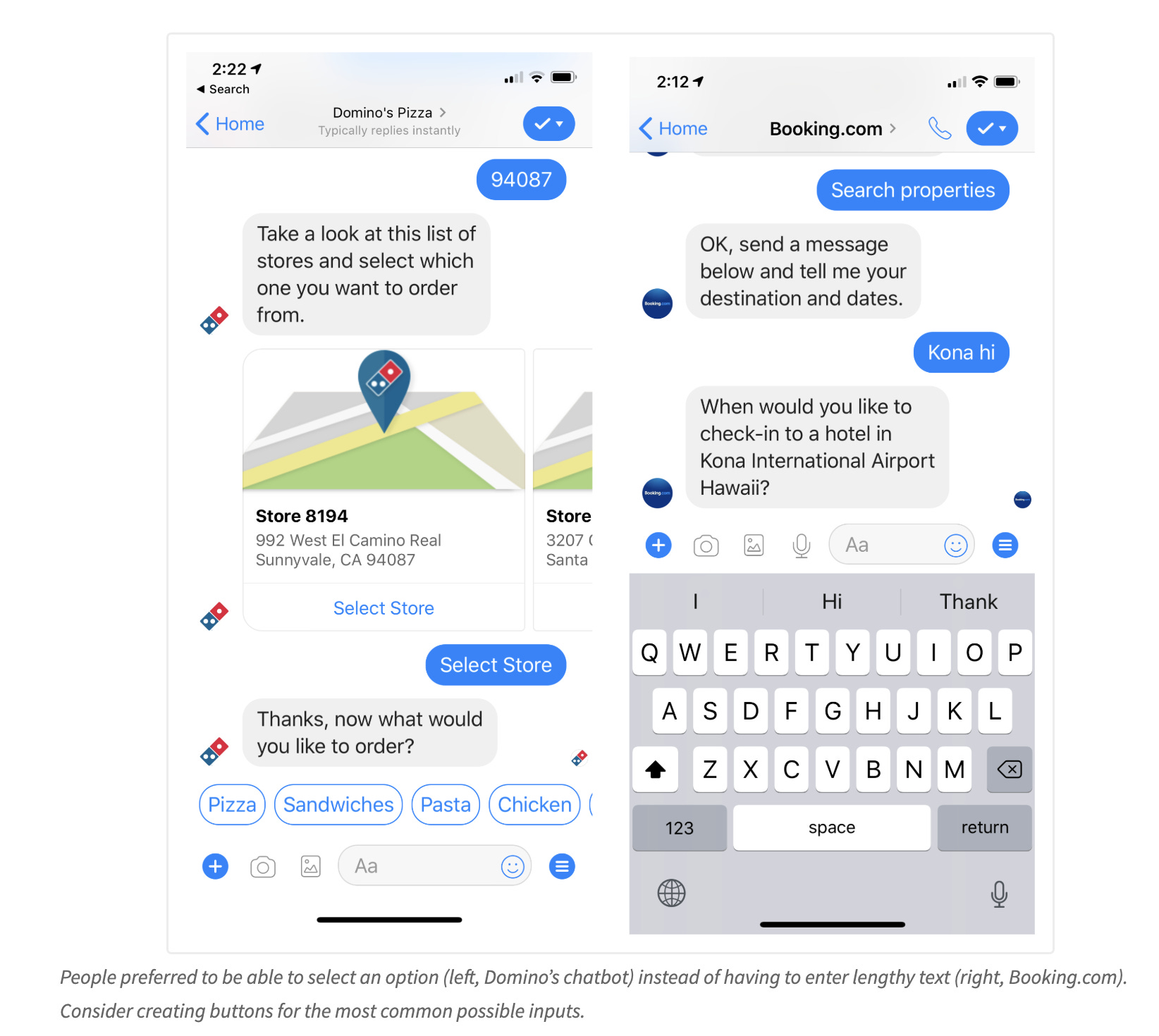
Nielsen Norman has done a variety of usability research studies and teardowns on elements of chat interfaces, like providing quick reply options and suggested prompts.
ChatGPT as an Example
At first glance, its UI is a simple chatbot. It has a user-input box, some predetermined prompts, and options for uploading or using voice.
If you’re mostly asking ChatGPT informational questions, your output is going to be mostly text. But ChatGPT can do a lot more than that.
If you ask it to create a doc, it will load a whole editable Google doc-style canvas. If you ask it to find you a restaurant, it will show search result like business cards. If you ask it for a product recommendation,s it will show shopping cards.
When you go deep on these use cases, you see there’s a lot more to it than a blank screen chatbot.
The Future of Chat is Dynamic
ChatGPT and all other major assistant UIs are dynamic, meaning that they adapt to the user’s input, hiding and showing elements depending on what the user has entered in the chat.
Even with voice interfaces and agents, the future for these products is not an invisible UI. We know from years of tech experiments and research that visual signals create efficiency and confidence.
Gemini is taking this to the next level, creating full generative apps in response to normal search queries like “find me the best bunkbeds”.
Here’s how their generative UI system works:
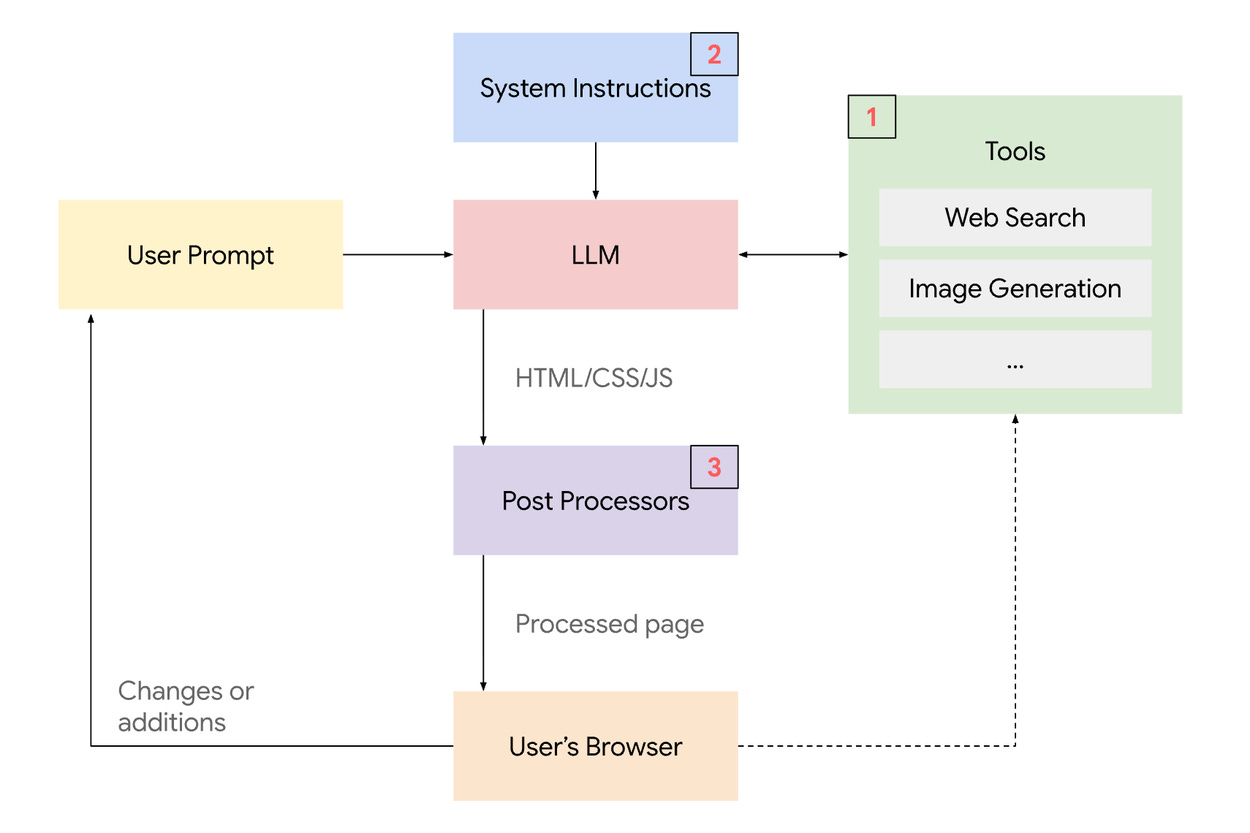
You can try it out by selecting “Dynamic view” under the Gemini dropdown.
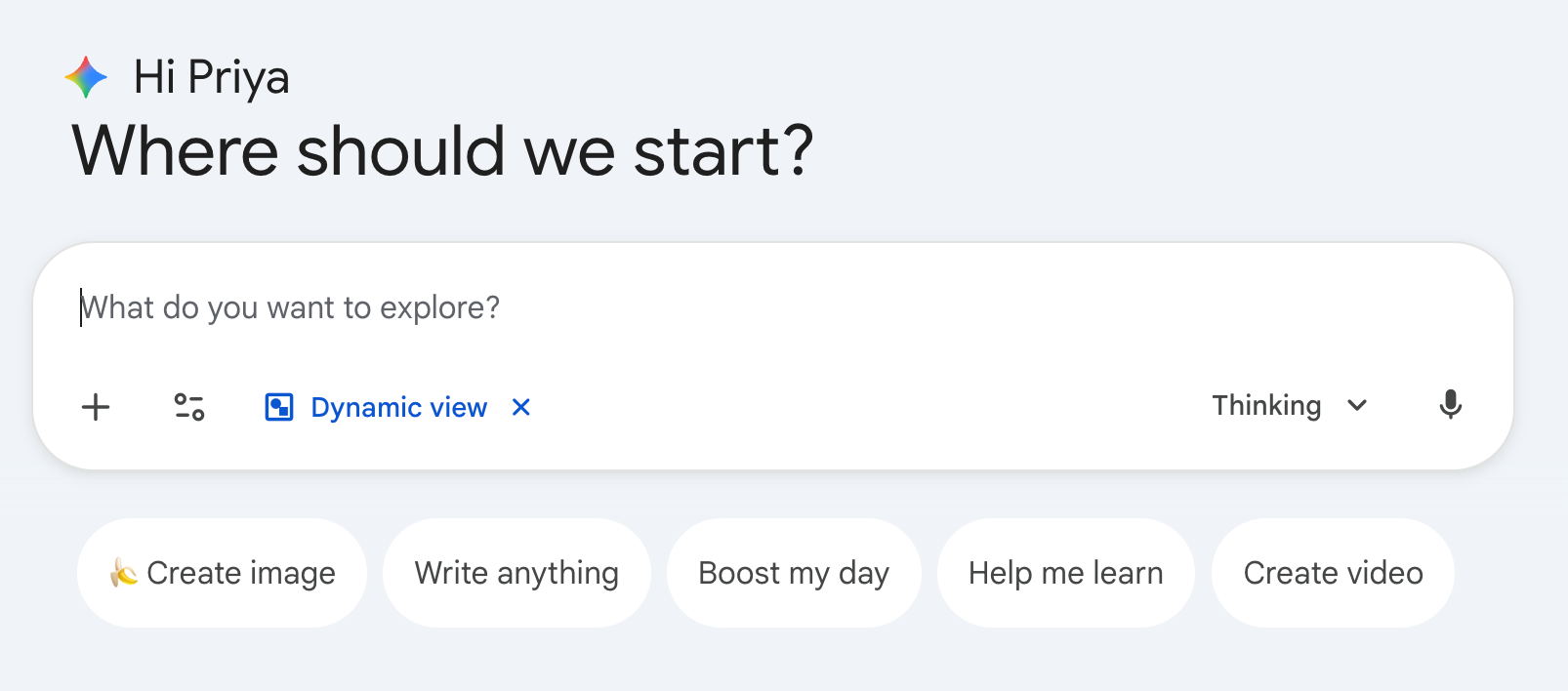
So next time you think about “just another chatbot”, pay a bit more attention to the UI. There’s likely more hiding there in plain sight.
A Detailed Example from Yelp Assistant
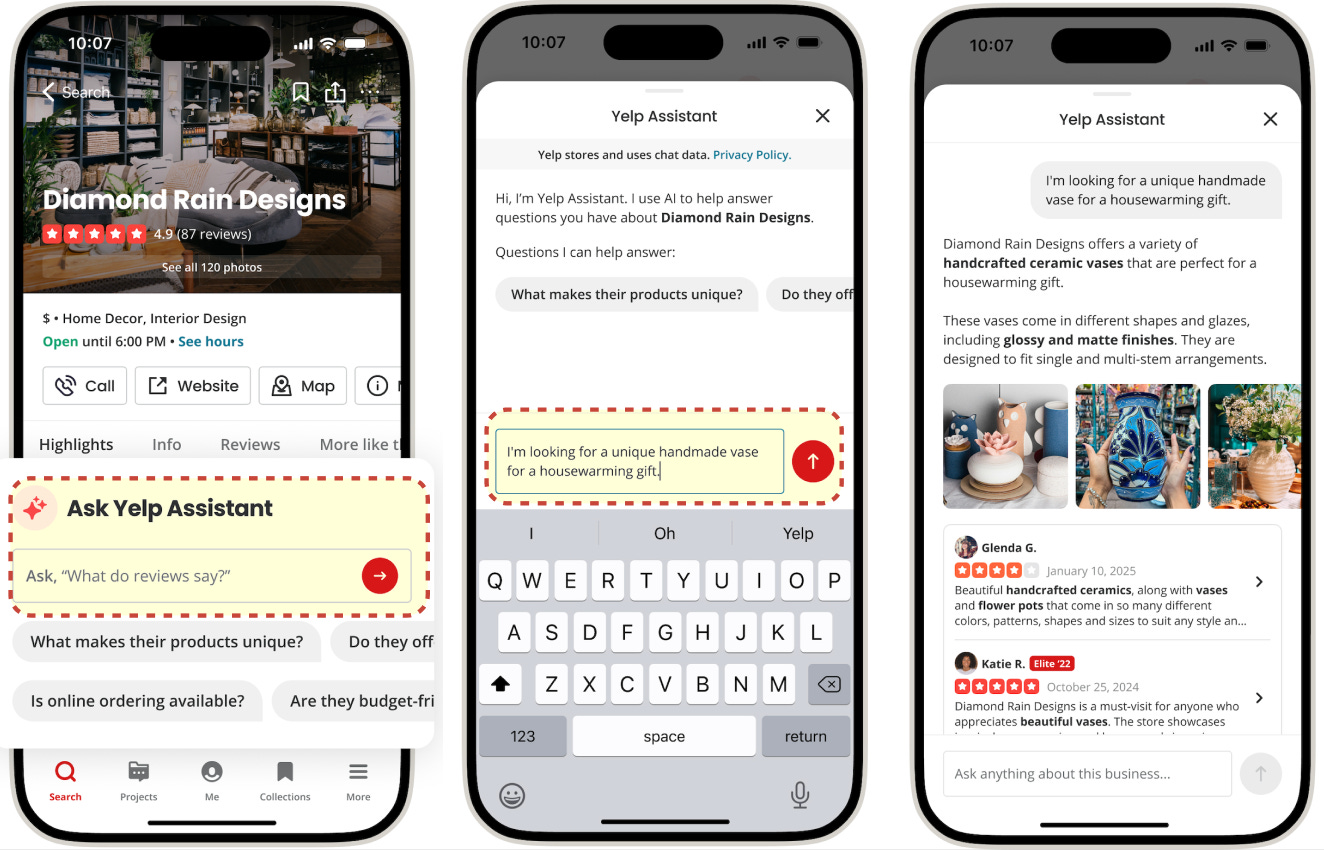
Yelp just did a write-up of the engineering behind our AI assistant experience for answering business questions. Guess what? The UI adapts with different evidence types depending on what you ask it.
The Future of Chat UX
As models continue to evolve, so must their interfaces. The initial focus on raw capability is now shifting toward creating more intuitive and powerful user experiences that adapt to user context.
Excellent teardown! As always the devil in the little details that make an interface feel simple but otherwise sing.
I've been excited for voice-only interfaces like a phone call, but I think they are limiting because they make it hard to get visual context (missing all the nuance you discuss here). One pattern I've noticed is the voice-in, text/other-back interface when talking with voice agents (especially openclaw). In this modality, the user just records open ended voice memos - as long as you want - then the interface responds back with text or maybe voice.
Have you experimented with voice agents or hybrid voice/text agents at Yelp?
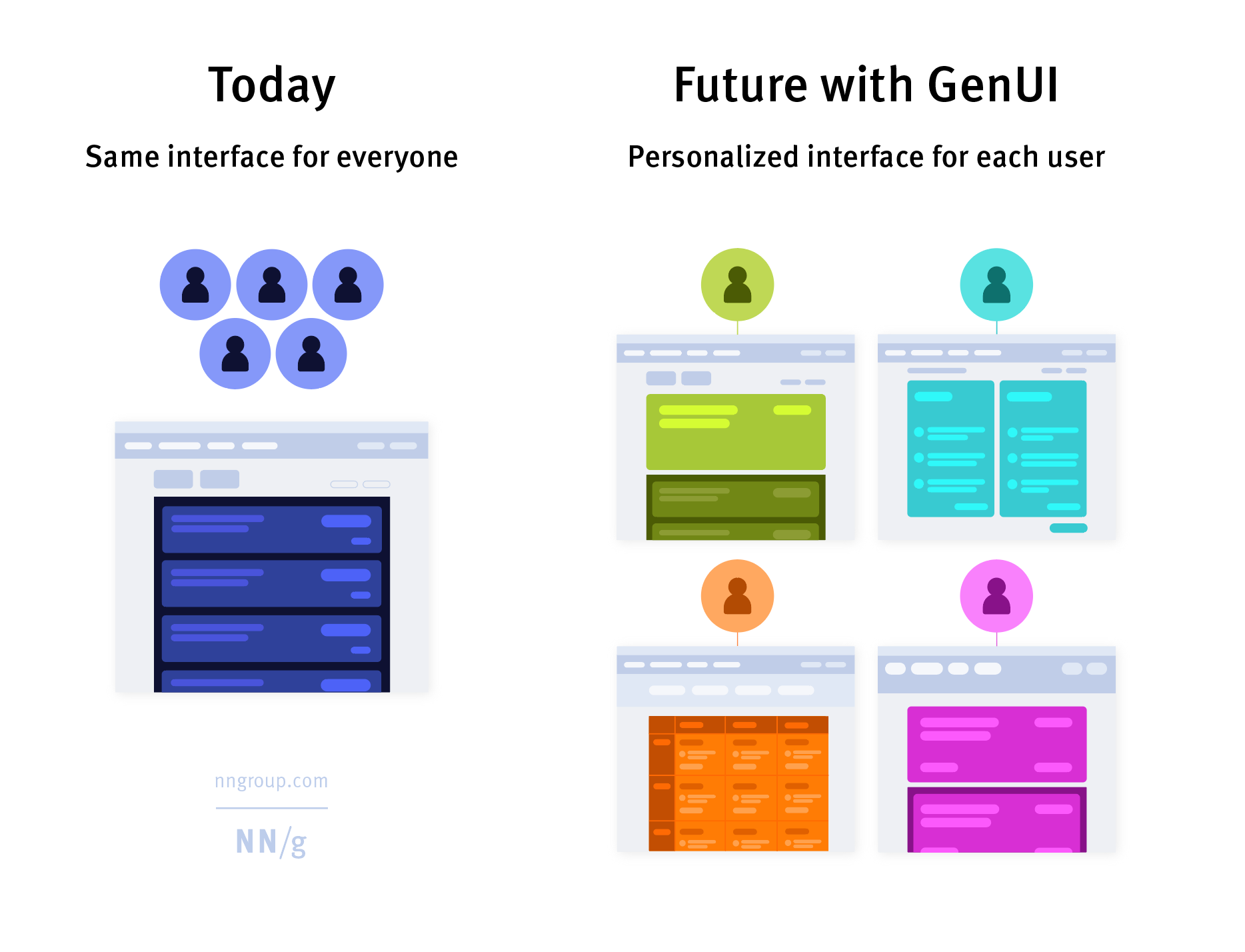
Compelling article. Future of UI maybe user bespoke GenUI